Close Menu
The Geek Twins

    Subscribe to Updates

    Get the latest creative news from FooBar about art, design and business.

    What's Hot

    Every Amazing Live-Action Batmobile in the Movies and TV Ranked and Explained

    June 8, 2026

    The Mandalorian & Grogu Has a Surprisingly Complicated Box Office

    May 27, 2026

    Marvel’s VisionQuest: Everything You Need to Know

    May 25, 2026
    Facebook X (Twitter) Instagram
    Facebook X (Twitter) Instagram YouTube
    The Geek TwinsThe Geek Twins
    Subscribe
    • Home
    • Movies
      1. Movie Reviews
      2. Movie Trailers
      3. View All

      Review: PROJECT HAIL MARY (2026) – Science, Friendship, and Survival

      April 7, 2026

      Review: Mercy (2026) – Surprisingly Boring Spotlight on AI

      February 2, 2026

      Review: GREENLAND 2: MIGRATION (2026) – A Pointless Disaster Sequel

      January 14, 2026

      Review: AVATAR: FIRE AND ASH (2025): Explains No Fandom

      December 23, 2025

      Epic Mandalorian & Grogu Trailer Signals an Amazing IMAX Return

      April 28, 2026

      10 Greatest Clues That Daredevil is in Spider-Man: Brand New Day

      March 18, 2026

      10 Unexpected Questions From the New Greenland 2 Movie Trailer

      January 1, 2026

      Everything We Know About The Frightening Disclosure Day Movie

      December 18, 2025

      Every Amazing Live-Action Batmobile in the Movies and TV Ranked and Explained

      June 8, 2026

      The Mandalorian & Grogu Has a Surprisingly Complicated Box Office

      May 27, 2026

      Epic Mandalorian & Grogu Trailer Signals an Amazing IMAX Return

      April 28, 2026

      New Star Trek Book Maps Every Timeline in the Multiverse

      April 24, 2026
    • Comics
      • Comic Reviews
    • Television
      1. Television Reviews
      2. Television Trailers
      3. View All

      THE BOROUGHS Review and Recap (S1E1): Retirement Horror and Hope

      May 22, 2026

      Every Shocking Episode Of Daredevil: Born Again Season 2 Ranked You Need To Watch

      May 12, 2026

      STAR TREK: STARFLEET ACADEMY Review and Recap (S1E6): Disastrous Lessons

      February 13, 2026

      FALLOUT Review And Recap (S2E8): Evil Controls But Hope Is Strong

      February 8, 2026

      Everything We Know About the Frightening Show The Boroughs

      May 15, 2026

      Star Trek: Strange New Worlds Season 4 Trailer Breakdown

      May 1, 2026

      Spider-Noir Release Date, Cast, and Everything We Know So Far

      April 28, 2026

      New Lanterns HBO Show: Everything You Need To Know

      March 13, 2026

      Every Amazing Live-Action Batmobile in the Movies and TV Ranked and Explained

      June 8, 2026

      Marvel’s VisionQuest: Everything You Need to Know

      May 25, 2026

      THE BOROUGHS Review and Recap (S1E1): Retirement Horror and Hope

      May 22, 2026

      Everything We Know About the Frightening Show The Boroughs

      May 15, 2026
    • Books
      • Book Reviews
    • Reviews
    • Trailers
    • About the Geek Twins
    The Geek Twins
    Home » How to Make A 'Star Wars' Ring Tone In Six Easy Steps [How To]
    Temp

    How to Make A 'Star Wars' Ring Tone In Six Easy Steps [How To]

    Maurice MitchellBy Maurice MitchellNovember 28, 2011Updated:May 17, 20232 Comments3 Mins Read
    Facebook Twitter Pinterest LinkedIn Tumblr Email
    Share
    Facebook Twitter LinkedIn Pinterest Email

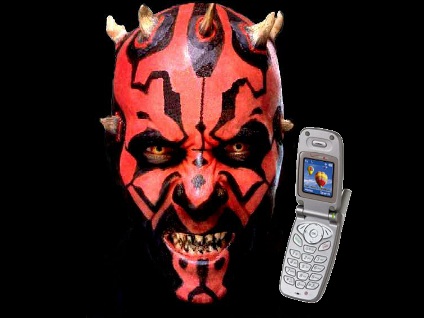
    If you want to have your phone ring with your favorite Star Wars song, then follow these six easy steps.

    What you’ll need

    • An MP3 song
    • Audacity sound editor

    1. Find A Song

    Get a song by ripping a CD, using your library or buying one. I’m going to get the song from Amazon since they sell them as MP3s. The promo code STUDYBRK will get you a $2 credit. So, you basically get a free song.

    The song I want to use is John William’s “Duel Of The Fates” from Star Wars: The Phantom Menace. This song is one of my favorites from the first film.

    2. Load the Song Into Your Sound Editor

    For this demo I’m going to use Audacity, but you can use any editor you like. Click Project > Import Audio or File > Import > Audio.

    3. Find the Best Section

    You could just load the whole song into your phone, but chances are it won’t sound good. First, most cell phones have a limit of two minutes. Second, the opening is rarely the part you want to start with. Usually the chorus is what you want.

    Select the portion of audio you want to use for your ringtone. In Audacity you click in the audio track and drag a selection area to left or right with your mouse. In this case I’m going to start with 00:01:03 where the chorus picks up and end at 00:02:05. You can fine-tune it using the “Selection Start” and “Selection End” windows at the bottom.

    4. Make Sure Its Not Annoying

    You could just toss it into your phone and be done, but if you don’t want to come back and find a pile of plastic instead off a phone make sure it doesn’t drive people nuts. First, listen to the clip on a loop. A song can sound great the first time a get steadily more irritating as it plays. If you’re not around the song could play the three or four times without you. Very annoying.

    In Audacity type L on the keyboard or hold down SHIFT while clicking the green Play button. Hit the spacebar or click the yellow Stop button when your done.

    If the section doesn’t loop right or has a weird bit, move the slider to change the opening and ending until you get it right. This is also a good time to add a fade in and fade out. Select a couple of seconds at the beginning and the end of the clip and select Effect > Fade In and Fade Out.

    5. Make Your MP3

    Select File > Export to make a MP3. Assuming your phone supports MP3 that is.

    6. Move It To Your Phone

    If you’re phone supports mp3 then you’re done! Just add it like any other song and use the phone’s built in tools to add it as a ring tone. I have an Android, so I just click on the song in the library and choose “Set as Ringtone.” If it doesn’t support MP3 it gets more complicated.

    There’s a whole article on how to make a ringtone at the Audacity wiki, so check there if you need more help.

    You can use these steps to enjoy your new ringtone!

    Which song would you use as a ringtone? If you followed these steps how did it go?

    HowTo StarWars
    Share. Facebook Twitter Pinterest LinkedIn Tumblr Email
    Maurice Mitchell
    • Website
    • X (Twitter)

    Related Posts

    The Mandalorian & Grogu Has a Surprisingly Complicated Box Office

    May 27, 2026

    Epic Mandalorian & Grogu Trailer Signals an Amazing IMAX Return

    April 28, 2026

    Ultimate Guide to Sci-Fi Vehicles: Starships, Hovercars & Iconic Rides Ranked

    April 16, 2026

    <span class="dsq-postid" data-dsqidentifier="41157 ">2 Comments

    1. Michael Offutt on November 28, 2011 6:00 pm

      A Star Wars ring tone might set me apart as a geek. That's assuming of course that people have been able to "overlook" the obvious.

    2. Maurice Mitchell on November 29, 2011 3:07 pm

      Michael, a Star Wars ringtone is guaranteed to get attention. LOL

    Our Picks
    • Facebook
    • Twitter
    • Instagram
    • YouTube
    Don't Miss

    Every Amazing Live-Action Batmobile in the Movies and TV Ranked and Explained

    Movies June 8, 2026

    Few vehicles in pop culture are as iconic as the Batmobile. More than just a…

    The Mandalorian & Grogu Has a Surprisingly Complicated Box Office

    May 27, 2026

    Marvel’s VisionQuest: Everything You Need to Know

    May 25, 2026

    THE BOROUGHS Review and Recap (S1E1): Retirement Horror and Hope

    May 22, 2026

    Subscribe to Updates

    Get the latest creative news from SmartMag about art & design.

    About Us
    About Us

    Your source for the hottest geek news. We know you love science fiction and we do too. Our goal is to help you enjoy what you love even more.

    Email Us: geektwins@gmail.com

    Facebook X (Twitter)
    Our Picks
    New Comments
    • PT Dilloway on 20 Interesting Things We Found in the Trailer for Captain America: Brave New World
    • PT Dilloway on Ubisoft’s Star Wars Outlaws Game Will Focus on Life of Crime
    • L. Diane Wolfe on A New Film by Steven Spielberg Will Rival Star Wars and the Avengers
    • Patrick Dilloway on Capricorn One (1977): When O.J. Simpson Played an Astronaut
    Facebook X (Twitter) Instagram Pinterest
    • Home
    © 2026 ThemeSphere. Designed by ThemeSphere.

    Type above and press Enter to search. Press Esc to cancel.